Skip to content
azzbd Slots / Mobile
LIVE LOBBY

azzbd — Live Tables, Slots and Cricket in One Place

Pick a live dealer table, load up a slot session, or check cricket markets for IPL and BPL — all accessible from your mobile or desktop once your account is set up. Availability depends on your local law and eligible region.

bKash Nagad Rocket
Browse games
CONTENT / 01

Switch Between Live and Self-Paced on Your Terms

The lobby at azzbd is built around a single decision: do you want a live dealer across from you, or do you want to move at your own pace through slot rooms? Live casino puts you at real tables — baccarat, roulette, blackjack — streamed by studios and hosted by dealers in real time. Slots in the self-paced rooms range from three-reel classics to multi-payline video formats.

GAME NETWORK
JDB
Habanero
Pragmatic Play
Spadegaming
CONTENT / 04

azzbd lobby studios

The azzbd lobby carries content from JDB, Habanero, Pragmatic Play, Spadegaming. To check the studio, rules or features of one specific game, open that game card or the published information panel.

  • JDB

  • Habanero

  • Pragmatic Play

  • Spadegaming

DISCOVER / 01

Choose your game

Full lobby
TITLE SPOTLIGHT

A Closer Look at What Opens First

When you land in the azzbd lobby for the first time, a handful of titles are surfaced at the front of each category rail. Blackjack Ace is consistently in that front row for table games — it is a standard blackjack format with clear bet controls and a clean interface that works on any screen size.

  • A Closer Look at What Opens First

    When you land in the azzbd lobby for the first time, a handful of titles are surfaced at the front of each category rail.

  • Blackjack Ace is consistently in that front row for table games — it is

    Blackjack Ace is consistently in that front row for table games — it is a standard blackjack format with clear bet controls and a clean interface that works on any screen size.

  • River Padma Reels is one of the featured slots; the game loads quickly o

    River Padma Reels is one of the featured slots; the game loads quickly on a mobile browser without requiring a download and carries a local theme that Bangladesh players have responded to.

MOBILE ACCESS

Open the Lobby from Any Mobile Browser

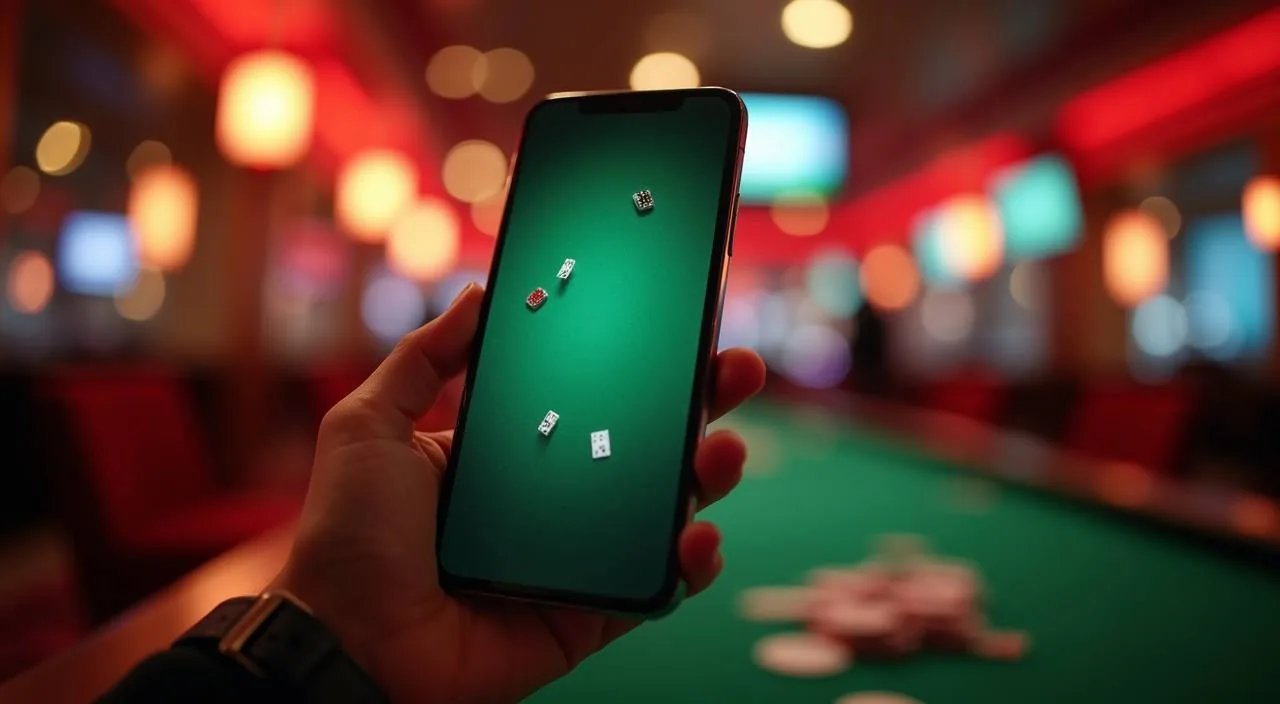
azzbd runs in your mobile browser without a download step. The layout adapts to your screen size automatically — on a phone, the navigation collapses to a bottom bar with lobby, account and wallet tabs. Live dealer streams are optimised for lower-bandwidth connections, which matters on mobile data in Bangladesh. If the stream quality drops on a slow connection, try switching to a different network or refreshing the browser tab — the session will reload from the lobby without losing your account state. Landscape orientation generally gives you more table space on live dealer games, while portrait works well for slots where the reel sits centrally on the screen.

  • No Download Needed

    The azzbd lobby loads directly in your mobile browser — Chrome, Safari or any standard browser on Android or iOS. There is no APK to sideload and no App Store listing to find. Open the site, log in and the full catalogue is available immediately. The interface scales to your screen without pinching or horizontal scroll on standard phone sizes.

  • One Account, All Devices

    Your azzbd account works on mobile, tablet and desktop with the same login. Balance, transaction history and active sessions are visible across all devices. If you start browsing slots on your phone and return later on a laptop, the lobby remembers your recently opened categories.

  • Data-Friendly Streaming

    Live dealer video on azzbd adjusts stream quality to your connection speed. On a standard 4G mobile connection in Bangladesh, streams remain stable without manual quality settings. Slot and crash game assets are compressed for faster load times on mobile.

CONTENT / 03

Open the Lobby from Any Mobile Browser

azzbd runs in your mobile browser without a download step. The layout adapts to your screen size automatically — on a phone, the navigation collapses to a bottom bar with lobby, account and wallet tabs. Live dealer streams are optimised for lower-bandwidth connections, which matters on mobile data in Bangladesh. If the stream quality drops on a slow connection, try switching to a different network or refreshing the browser tab — the session will reload from the lobby without losing your account state. Landscape orientation generally gives you more table space on live dealer games, while portrait works well for slots where the reel sits centrally on the screen.

  • No Download Needed

    The azzbd lobby loads directly in your mobile browser — Chrome, Safari or any standard browser on Android or iOS. There is no APK to sideload and no App Store listing to find. Open the site, log in and the full catalogue is available immediately. The interface scales to your screen without pinching or horizontal scroll on standard phone sizes.

  • One Account, All Devices

    Your azzbd account works on mobile, tablet and desktop with the same login. Balance, transaction history and active sessions are visible across all devices. If you start browsing slots on your phone and return later on a laptop, the lobby remembers your recently opened categories.

  • Data-Friendly Streaming

    Live dealer video on azzbd adjusts stream quality to your connection speed. On a standard 4G mobile connection in Bangladesh, streams remain stable without manual quality settings. Slot and crash game assets are compressed for faster load times on mobile.

ACCOUNT DESK

Account information

Review current account information after signing in.

Login
LOCAL PAYMENTS

Your Wallet: bKash, Nagad, Rocket and Bank Transfer

Every cashout path on azzbd is confirmed before you commit. The wallet section of your account lists bKash, Nagad, Rocket and Bank Transfer as the available rails for deposits and withdrawals in Bangladesh.

  • bKash

    bKash is the most widely used mobile wallet in Bangladesh and is the first option in the azzbd wallet screen. To deposit or withdraw via bKash, select it from the Wallet tab, enter the amount, and follow the confirmation steps shown — including the bKash PIN prompt on your phone.

  • Nagad

    Nagad is available alongside bKash in the azzbd wallet. The process follows the same screen flow — select Nagad, enter your amount, confirm through the Nagad prompt on your device. Nagad transactions appear in your account History with a status indicator.

  • Rocket

    Rocket (Dutch-Bangla Bank mobile banking) is the third wallet option in the azzbd payment screen. It works for both deposits and withdrawals. Select Rocket from the Wallet tab, enter the amount and follow the on-screen steps.

  • Bank Transfer

    Bank Transfer is suited to larger transactions and follows standard interbank processing timelines as shown on the transfer confirmation screen. Enter your bank account details in the Bank Transfer section of the Wallet tab — the fields guide you through account number, routing and any additional verification your bank requires.

Banking
ACCOUNT PATH

From the Homepage to Your First Session in Four Steps

Opening an account at azzbd follows a short sequence. First, tap the Open Your Account button on the home page — this takes you to the registration form, which asks for an email address, a password, and basic account details. Fill in the fields exactly as shown; the form flags any entry that does not meet the format requirements before you submit. Once the form is submitted and your account is confirmed, log in and navigate to the wallet section before starting your first session.

  1. Step 1: Register

    Open the registration form from the home page. Enter your email, choose a password that meets the strength indicator shown, and complete the account fields. The form checks entries in real time and highlights any field that needs correction before you can submit. Submission takes you to the email confirmation step automatically.

  2. Step 2: Verify Email

    A verification email is sent to the address you registered with. Click the link inside to activate your account. The link expires after a set period shown in the email — if it expires, use the resend option on the login screen. Once verified, the full account dashboard becomes accessible including the Wallet and Information tabs.

  3. Step 3: Link a Payment Method

    Open the Wallet tab in your account dashboard. Select bKash, Nagad, Rocket or Bank Transfer and follow the fields shown for that method. Each method has its own verification steps displayed on screen. Linking your payment method before your first game session means withdrawals are set up and ready when you need them.

  4. Step 4: Open the Lobby

    With your account verified and wallet linked, open the lobby from the main navigation. The category rail sits at the top — live casino, slots, crash games, table games. Use the studio filter on the left to browse by JDB, Habanero, Pragmatic Play or Spadegaming. Tap any game card to open the title. Your balance is visible in the header throughout.

MEMBER DESK / 06

Offers, support and account controls

01

Game lobby

02

Payment guide

03

Support

TRUST / 03

Tools Inside Your Account for Session Management

azzbd provides account-level controls that let you manage how you use the platform. These are accessible from the Account Settings section of your dashboard once you are logged in. Within Account Settings you can review your session history, adjust how notifications reach you, and update the contact details tied to your account. If you want to take a break from the platform, a temporary account pause option is available from the same settings area — it takes effect immediately and can be reversed by contacting support after a cooling-off period.

  • Session History

    Your full session and transaction history is available in the History tab of your account dashboard. Each entry shows the game or transaction type, amount, date and outcome. You can filter by date range and by game category.

  • Account Verification

    Verified accounts have access to the full wallet functionality including withdrawals via bKash, Nagad, Rocket and Bank Transfer. The verification step is completed during registration and may require additional identity confirmation depending on your account activity and the requirements shown in your dashboard. All verification steps and required documents are listed clearly in the Account Settings screen.

  • Support Access

    The live chat icon is visible in the bottom-right corner of every page on azzbd, including inside the lobby and on the wallet screen. Support can assist with account queries, payment questions and general lobby navigation.

  • Terms and Eligibility

    Full terms for account use, game access and payment methods are published in the Terms section linked in the site footer. Access to azzbd and eligibility for specific features depends on your local law and eligible region. The terms page sets out the conditions clearly — read it before opening an account if you have questions about eligibility in your region.

Learn more →
HOW TO REACH US

Support Routes Available from Every Page

Support at azzbd is reachable without leaving the lobby or your current game session. The live chat icon stays in the bottom-right corner of every page — tap it to start a conversation. For account-specific questions including wallet issues, transaction references or verification steps, have your account email and transaction ID ready before starting the chat; it speeds up the process significantly.

  • Live Chat

    The live chat icon sits in the bottom-right corner of every azzbd page, including inside game sessions and on the wallet screen. Open it to connect with the support team directly.

  • Account Support Section

    Inside your logged-in account dashboard, the Support section contains links to self-service tools, published FAQs and additional contact routes. If you prefer not to use live chat, this section points to alternative methods.

  • Footer Resources

    The site footer on every azzbd page links to Terms, Privacy Policy and the Support section. These are the reference documents for eligibility, account rules and data handling.

PLAYER INDEX / 07

Things Worth Knowing Before You Start

Short answers to the questions that come up most often when opening a new account or navigating the lobby for the first time. If your question is not covered here, live chat support is available from any page. Wagering requirement refers to the number of times a balance must be played through before a withdrawal can be processed — check the account area for any conditions attached to your current balance. Verification means submitting identity documents so the platform can confirm your account before processing larger withdrawals. RTP, or return to player, is the theoretical percentage of stakes a game pays back over a large number of rounds — it is a long-run statistical figure, not a session guarantee.

Player guide and glossary
  • Which payment methods can I use on azzbd?

    azzbd supports bKash, Nagad, Rocket and Bank Transfer for accounts in Bangladesh. All four are available in the Wallet tab of your account dashboard.

  • Do I need to download anything to play on mobile?

    No download is required. azzbd runs in any standard mobile browser on Android or iOS — open the site, log in and the full lobby loads directly. Live dealer streams, slots and crash games all work in the browser without a separate app. There is no APK file to install and no App Store listing. The layout adapts automatically to your phone screen.

  • How do I switch between live casino and slots?

    The category rail at the top of the lobby shows live casino, slots, crash games and table games side by side. Tap any category to switch — your session in another game type is not affected. On mobile, the categories appear as a horizontal swipe rail.

  • Where do I find the games from JDB, Habanero, Pragmatic Play and Spadegaming?

    All four studios are available through the lobby studio filter. Open the lobby, select the filter icon or studio tab, and choose the studio you want to browse. The filter narrows the catalogue to titles from that studio only. Switching studios is instant — tap a different studio name to see their titles.

  • What happens if my transaction is still pending?

    Check the History tab in your account dashboard for the transaction status and reference number. If the status remains pending beyond the timeframe shown on the confirmation screen when you submitted, contact support via live chat with that reference number. The support team can query the payment system directly.

  • Is azzbd available in my region?

    Access to azzbd and eligibility for specific features depends on your local law and eligible region. We do not make legal determinations on behalf of individual users. Check the Terms page linked in the footer for the conditions that apply to account use. If you are unsure about eligibility in your specific location, review the terms before opening an account.

  • How do I verify my account?

    Account verification is part of the registration flow. After confirming your email address, log in and open Account Settings. The verification section lists the steps and any documents required based on your account activity. Completing verification unlocks full wallet functionality including withdrawals.

Full glossary
LOBBY / 02

One mobile lobby, distinct game areas

Cricket TargetBets Sports Cricket TargetBets Access → Blackjack Ace Live Blackjack Ace Access → River Padma Reels Slots River Padma Reels Access → Football BalMoney Sports Football BalMoney Access → Bet On Crash Slots Bet On Crash Access → Roulette Streak Live Roulette Streak Access →
EXPLORE FURTHER / 04

Explore detailed guides

Local lobby check

QUICK ANSWERS

Frequently asked questions

More detailed answers covering lobby navigation, cricket markets, account management and payment handling for Bangladesh accounts on azzbd.

Read FAQ →
What cricket markets does azzbd offer?

azzbd includes cricket betting markets covering IPL and BPL fixtures alongside international cricket. Cricket TargetBets is the dedicated cricket game format in the lobby, offering bet-on-outcome rounds tied to match moments. The markets available depend on the current schedule and your eligible region.

Can I use both bKash and Nagad on the same account?

Yes. The azzbd wallet supports multiple payment methods on the same account. You can link bKash, Nagad, Rocket and Bank Transfer simultaneously and choose which one to use for each transaction. Each linked method appears separately in the Wallet tab.

How do I find a specific game in the lobby?

Use the search bar at the top of the lobby to find a game by name — type part of the title and matching results appear immediately. You can also browse by studio using the studio filter (JDB, Habanero, Pragmatic Play, Spadegaming) or by category (slots, live casino, crash games, table games).

What is the difference between live casino and slots on azzbd?

Live casino puts you at a table hosted by a real dealer in real time — baccarat, roulette and blackjack are the core formats. Rounds run on the dealer's schedule and you join mid-stream. Slots are self-paced: you set the bet, run the round and stop when you choose.

How do I read my transaction history?

Open the History tab in your account dashboard. Each row shows the date, payment method, transaction type (deposit or withdrawal), amount and current status. You can filter by date range using the date picker at the top of the History screen. Completed transactions show a final status; pending ones show a processing indicator.

What should I do if I forget my account password?

On the login screen, tap the Forgot Password link below the password field. Enter the email address registered to your account and a reset link will be sent to that address.

Does RTP information appear for games on azzbd?

RTP figures are shown on individual game detail pages only where the studio itself publishes that data. JDB, Habanero, Pragmatic Play and Spadegaming each control what RTP information is exposed for their titles. We do not publish estimated or averaged figures, and we do not display RTP where the studio has not provided it.

READY WHEN YOU ARE

azzbd game lobby

Access may be available only where local law permits.

Register Login